Build a Link-in-Bio App with a Coding Agent
See a working link-in-bio app built on Userland. Try the live demo, copy the prompt, and make a creator page with links, products, and an email list.
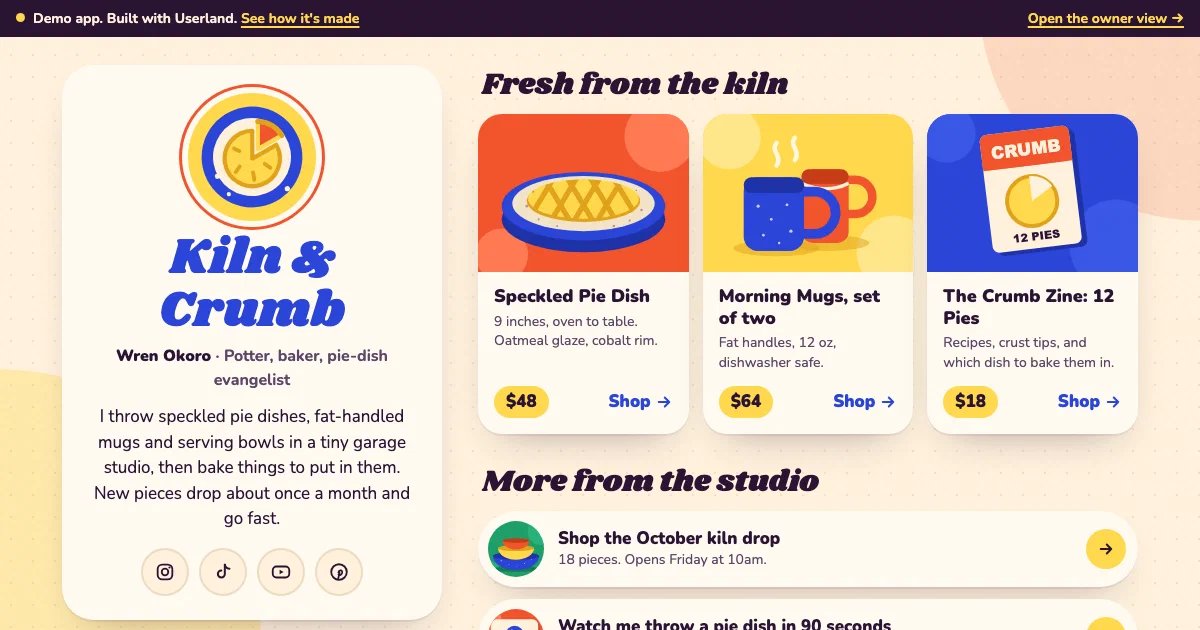
Live demo
Open the demo at link-in-bio-demo.apps.userland.fun. Tap a link, join the email list, send a note, then open the owner view to see your message arrive, download the email list, and reorder or hide links. Other visitors can’t see what you send, and made-up details work fine.
What this app does
- Shows your name, bio, photo or logo, and social profiles on one page
- Features products with pictures and prices, above a list of links
- Grows an email list with a signup form and a download for your newsletter tool
- Takes contact messages by topic, with spam protection
- Gives you a private owner view to read messages and add, hide, reorder, and edit links
- Counts taps on every link so you can see what people use
Who this is for
This app is useful for:
App spec
- Visitor (no sign-in)
- Owner (signs in to manage the page)
- Link page with profile, featured products, and links
- Contact form
- Thank-you page
- Owner inbox with messages, email list, and archive
- Owner links editor with tap counts
- Owner sign-in for the private owner view
- Saved data for links and for signups and messages
| Route | Purpose |
|---|---|
/ | Link page with profile, featured products, links, email signup, and contact card |
/subscribe | Saves an email-list signup |
/contact | Contact form |
/thanks | Thank-you page after a signup or message |
/go/{id} | Counts a tap, then opens the link |
/admin | Owner inbox for messages, the email list, and archived items (owner only) |
/admin/email-list.csv | Email list download (owner only) |
/admin/links | Add, edit, hide, reorder, and delete links (owner only) |
Data model
- id
- title
- url
- note
- price
- picture
- featured
- visible
- position
- clicks
- id
- kind (signup or message)
- name
- topic
- message
- status (new, replied, archived)
- time received
Build it with this prompt
Paste this into your coding agent to build your own version, then ask it to change the copy, design, and data for your business.
Build and publish a link-in-bio page for my business on Userland.

What I need:
[Describe yourself or your business in your own words: your name and a one-line bio, your social profiles, the links you want on the page, any products to feature with prices, and what people should contact you about. For example: "Sam Rivera, wedding and portrait photographer in Austin. Instagram and Pinterest. Feature my print shop and mini-session packages, link my portfolio and newsletter, and take messages about bookings."]

How to work:
1. Read https://docs.userland.fun/llms.txt first and follow the Userland docs. Don't guess how Userland works.
2. Start from the link-in-bio example at https://github.com/dwrtz/userland-public/tree/main/examples/link-in-bio-app. Replace its made-up pottery studio with my business and remove its demo mode.
3. If I haven't filled in "What I need", ask me first. Ask anything else you need before you build, then explain your plan in plain language: the pages, who can sign in, and what information gets saved.
4. Build the app: one page with my name, bio, social buttons, featured products, and links; an email-list signup and a contact form with spam protection; and a private owner view where only I read messages, download the email list, and add, hide, reorder, and edit links. Use my colors and style, make it fast on phones, and keep API keys and secrets on the server, never in the browser.
5. Publish with the Userland CLI. If you need to sign in, run userland login and I'll approve it in my browser. Then set me up as the owner so I can sign in.
6. When it's live, tell me the link, how I sign in and use the owner view, anything that needs a paid plan (like my own domain), and how to undo a release if something breaks. Note the app ID and release ID in the project README so you can publish updates later.
Implementation notes
Pages load as plain HTML from the server. The link page, contact form, and owner view load fast on phones and work without JavaScript.
Your profile lives in one file. Your name, bio, social profiles, and starter links live in one content file your agent edits. Links and featured products are saved in Userland managed data, so you can change them from the owner view without a new release.
Signups and messages share one inbox. They are saved together with a status (new, replied, archived). The email list downloads as a spreadsheet file that is safe to open in Excel or Google Sheets. Every link goes through a short hop that counts the tap, so the owner sees which links people use.
The owner view is locked. It uses Userland’s built-in app sign-in with an “owner” role, and your agent creates an invite link for you after the first publish. Public forms have length limits, a hidden spam trap, and escaped output, and changes from the owner view only work from the app’s own pages.
The demo runs in demo mode. The live demo turns off sign-in so you can explore the owner view. Each visitor gets their own copy of sample messages, signups, and links, and other visitors never see it. Because the demo can’t use its own cookies, that copy is tied to the address in your browser, so share the plain demo address rather than your own. The demo also stores typed email addresses partly hidden and clears each copy after a few hours. That demo code sits in one small file, and your agent removes it when it builds your version.
It fits the Free plan. The app uses one sign-in role, two kinds of saved data, and no scheduled tasks. Free suits a small audience; a busy page or your own domain needs Starter.
Variants
You can customize this app into:
FAQ
What plan does this app need?
Can I use my own domain?
How do I undo a change?
Who can see the email list and messages?
How do I send emails to my list?
Can I change the design?
Related examples
-
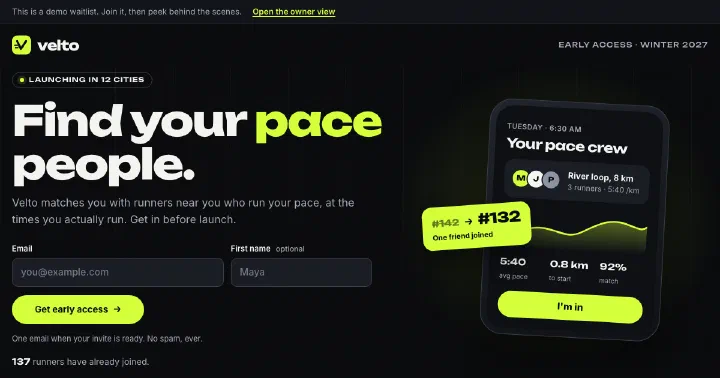
Waitlist App
Pre-launch waitlist with invite links that move people up the line, optional questions, and an owner view with a spreadsheet download.
-
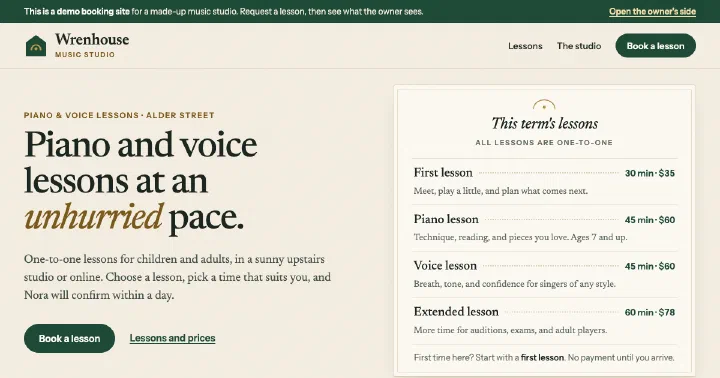
Booking App
Booking page with open times and a request form, plus a private owner inbox to confirm, decline, and edit services.
-
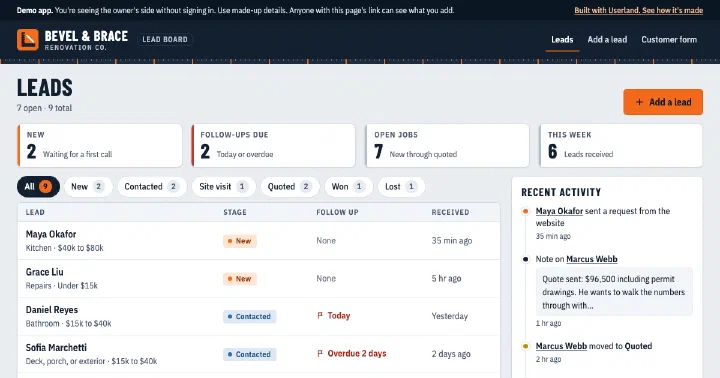
Mini CRM
Lead inbox with a public request form and an owner-only board for stages, notes, and follow-ups.
-
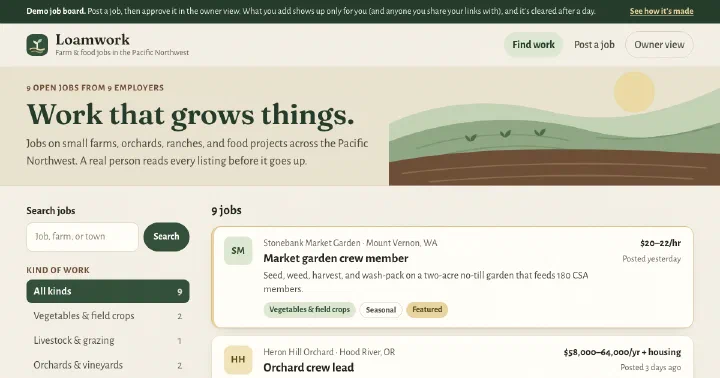
Job Board
Niche job board with search and category filters, an employer submission form, and an owner review queue.
Build yours.
Paste a prompt into your coding agent and describe how your business works. Your agent builds the app. Userland runs it.